AV Equipment Strategy & Integration for Law Firms
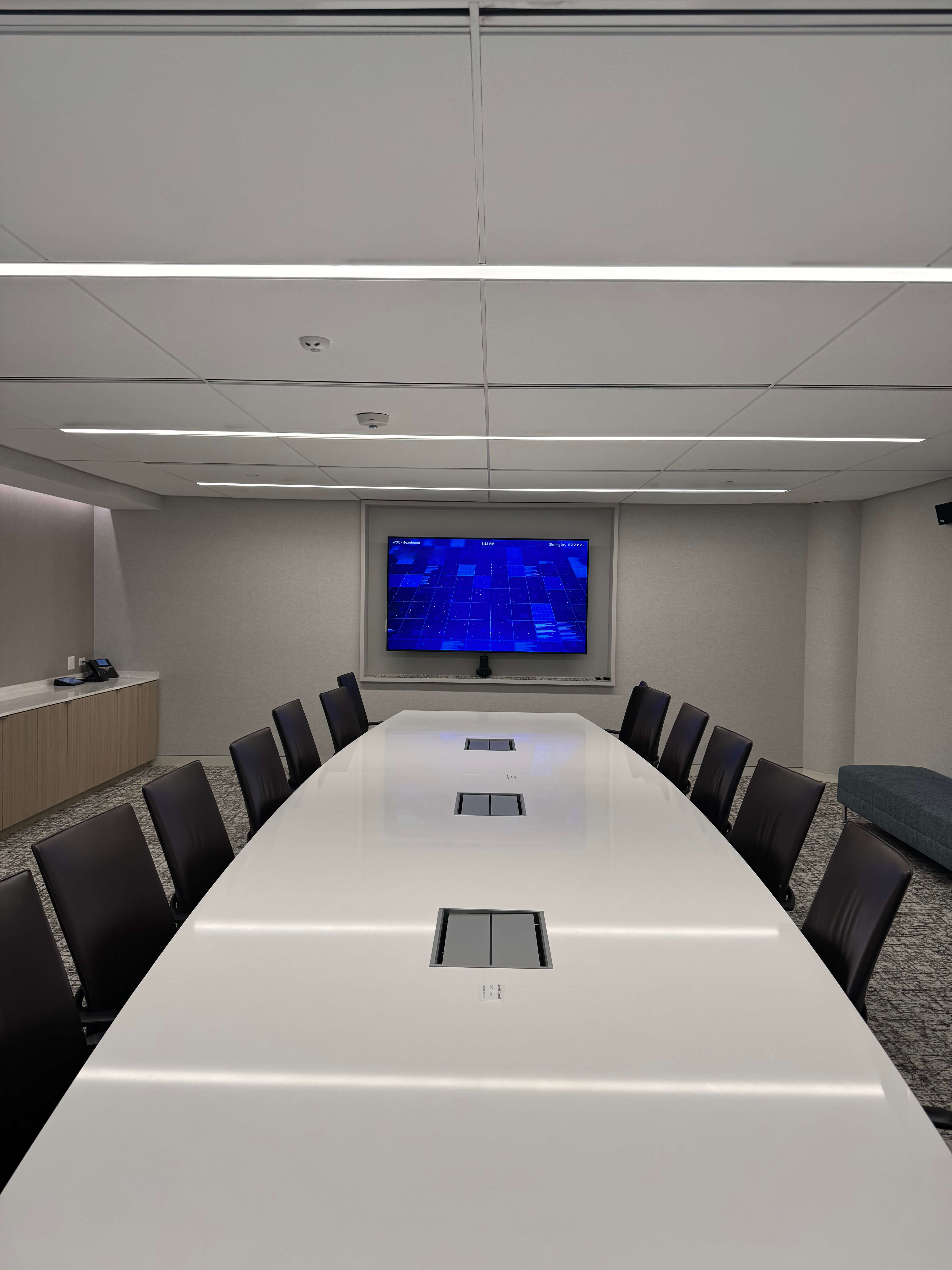

- AV is infrastructure, not a luxury: Technology inconsistency across offices directly affects client experience, attorney productivity, and IT workload.
- Standardize around room personas: Defining 4-6 repeatable room types and one primary UC platform cuts user confusion by 50-70% and support calls by up to half.
- Managed AV flattens costs: Subscription models replace unpredictable 3-5 year capital spikes with predictable monthly OPEX and sub-15-minute issue resolution.
- Proven at scale: One AM Law 200 firm standardized 12 offices on Zoom Rooms and now handles 4x the video volume without added headcount.
For large law firms operating across multiple offices, AV equipment for law firms has transitioned from a boardroom luxury to essential infrastructure that directly shapes client experience and attorney productivity. Yet, despite its importance, most firms still struggle with inconsistent technology, fragmented support, and unpredictable costs that interrupt the flow of business.
This guide provides a strategic framework for transforming law firm AV from a recurring headache into a competitive advantage. Whether it’s a multi-million dollar negotiation or a sensitive deposition, the technology should be invisible. Its true job is to work quietly behind the scenes, supporting critical communication and operational tasks that keep your firm moving.
While high-quality AV equipment is a valuable tool for any business looking to communicate with customers, you shouldn’t need an IT expert to lead a meeting.
What Is Audio Visual Equipment in a Law Firm Context?
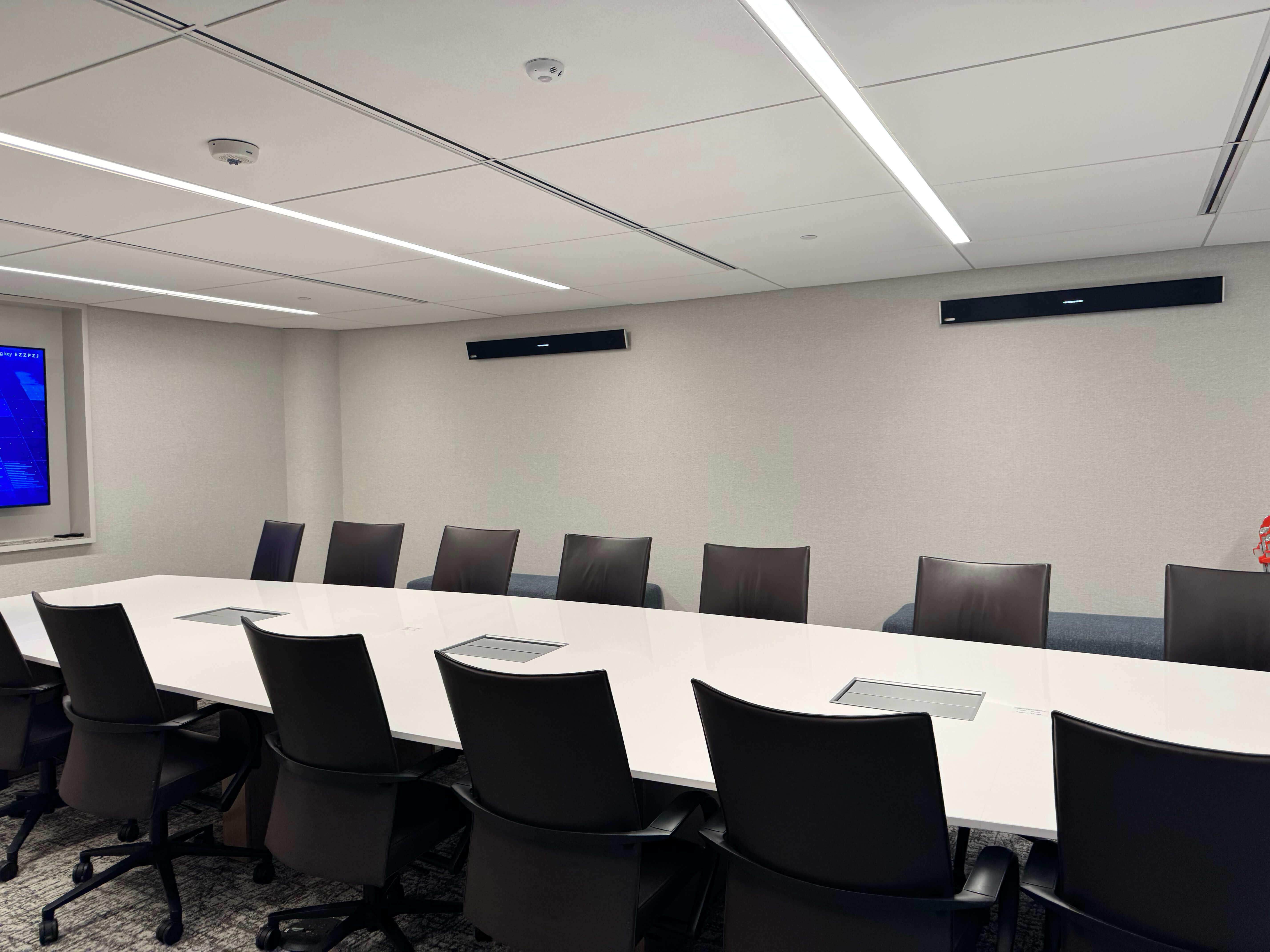
AV equipment in law firms refers to the integrated audio, video, and control systems that power conference rooms, war rooms, mock courtrooms, and client spaces. This includes cameras, microphones, display devices, room control panels, DSPs, and UC platforms like Microsoft Teams Rooms or Zoom Rooms.
The right audio visual equipment for law firms does more than fill a room — it supports the precision, confidentiality, and reliability that legal work demands.
In a legal environment, your audio visual equipment extends far beyond projectors and basic speakers. It forms an ecosystem designed for depositions, remote hearings, client pitches, and hybrid collaboration across every office location.
For example, systems must capture clear meeting room audio for transcripts, present evidence with precision, and operate reliably under pressure. For decision-makers in IT, Operations, and Facilities, a comprehensive law firm AV solution means designing and managing this ecosystem across multiple offices. Your attorneys should be able to walk into any room, at any location, and work without re-learning controls or troubleshooting failures.
Common AV Challenges in Large Law Firms
Multi-office firms face significant AV inconsistencies that hinder attorney productivity and client satisfaction. The most common include:
The User Experience Gap
Different brands, layouts, and user interfaces across locations force your legal professionals to re-learn controls in each space. A partner in one office may struggle with unfamiliar touch panels while a colleague in another city uses an entirely different system. This friction makes it difficult for legal professionals to focus on their main duties rather than the AV equipment in the room.
Law firms also face a governance challenge that most industries don’t: every partner has strong preferences, and standardizing across a firm takes real patience. Courts may also dictate the platform a hearing must use — you have to be able to adapt. The right AV partner learns a firm’s operational quirks over time, not just the technology.
High-Stakes Client Risks
Client-facing failures carry acute risk. Depositions dropping mid-session, expert-witness audio issues from poor microphone placement, and remote board meetings with echo undermine client confidence. Industry data suggests 40–50% of hybrid meeting issues stem from AV equipment glitches. When the technology fails, it doesn’t just disrupt a meeting; it reflects poorly on the firm’s commitment to excellence. A dropped hearing isn’t an inconvenience, it’s a professional liability.
The Burden on IT Professionals
As a result, your IT professionals are often forced into AV roles they may not be specialized in, leading to a heavy burden where their time is diverted from core responsibilities. They’ve become the de facto primary responders for room turnarounds and constant troubleshooting. Reports indicate IT spends 20–30% of their time on AV tickets in non-standardized firms — precious time diverted from cybersecurity and strategic initiatives. For firms without dedicated AV staff, Fractional AV offers a flexible alternative — expert support, part-time or as needed, without a full-time hire.
This challenge compounds in multi-office environments where most locations lack dedicated IT staff. Consider a firm with 12 offices across the country where only about half have dedicated IT personnel. The remaining offices rely on office services teams who aren’t tech-focused. A broken conference room in a satellite office can mean a phone call, a travel request, or simply a waiting game during a high-stakes hearing.
Stop the cycle of reactive troubleshooting.
Connect with our team for a specialized Law Firm AV Audit.
Schedule Your AV AuditThe Hidden Infrastructure Crisis
A primary cause of meeting room failure isn’t just a lack of AV equipment, but a lack of expertly designed connectivity. When cables are the wrong length or adapters are an afterthought, you are left with last-minute troubleshooting that delays high-stakes legal proceedings. Selecting and installing the correct components is essential for a reliable foundation that can easily scale.
Fragmented Support and Unpredictable Costs
Fragmented vendor support compounds these problems. Relying on multiple regional integrators with no clear ownership results in slow response times during critical outages. Without a true AV partner, firms are left navigating unpredictable 3–5 year refresh cycles that create capital spikes often misaligned with lease events or office moves.
A dedicated AV support partner changes that equation — one point of contact, clear SLAs, and accountability that doesn't disappear after installation.
Key Types of AV Equipment in Law Firm Environments
Before discussing hardware, you must first align on the legal workflow. Every firm has a unique way of practicing law, and the technology must bend to your processes. AV equipment for law firms requires a specific mix of technology configured for high-stakes environments, distinct from consumer or general event setups.
Once the workflow is defined, the core components come next:
- Audio components Audio components are the most critical assets in any law firm AV solution. Meeting room audio for law firms demands ceiling and table-mounted microphones with advanced noise-canceling capabilities, DSPs (Digital Signal Processors) for echo elimination, in-ceiling speakers for uniform sound distribution, and sound masking for confidentiality. The voice coil and speaker cone quality in professional audio systems ensures the speech intelligibility necessary for accurate recordings and transcripts.
- Visual components Visual components must deliver total clarity. This encompasses dual or triple flat-panel displays, large commercial-grade displays for boardrooms, confidence monitors at counsel tables, and document cameras for physical evidence. A 98-inch front-of-room display paired with screens for evidence presentation is common in 20-seat boardrooms.
- Lighting Lighting is an essential part of the AV equipment ecosystem, creating a professional appearance for remote hearings and recorded sessions.
- Conferencing components Conferencing components for modern legal collaboration include PTZ (Pan-Tilt-Zoom) cameras for depositions, integrated Microsoft Teams or Zoom Rooms, and secure session recording tools. These systems capture multi-angle video while maintaining secure, encrypted content sharing — essential for protecting sensitive case data.
- Control and management systems Control and management systems must be intuitive. This includes touch panels, occupancy sensors, and centralized dashboards. Remote management capabilities allow for monitoring of AV equipment across multiple offices in real time, enabling proactive operation.
The success of your AV equipment relies on its alignment with the physical space and the specific needs of the users. Whether you are outfitting a high-density war room or a sprawling executive boardroom, your office location, venue size, and unique room acoustics are the primary factors that dictate the right law firm AV solution.
How Law Firms Can Improve Conference Room AV Technology
Improving your firm’s conference room AV technology starts with a shift in mindset: moving from buying boxes to designing experiences.
1. The Formal Audit
Start with a comprehensive inventory across all offices. Document every room type, installed AV equipment, the current UC platform, and most importantly, direct user feedback. Document what is working and what is not. This audit will reveal inconsistencies that ad hoc notes miss.
By defining clear objectives early on, you’ll not only improve your conference room technology, but also better establish a budget for your law firm’s AV solution.
2. Define Your “Room Personas”
Consistency is built on repeatable standards. By categorizing your spaces into 4–6 standard “personas,” you simplify the user learning curve and streamline IT support.
| Room Persona | Primary Legal Use Case | Standard AV Equipment Highlights |
|---|---|---|
| The Huddle Room | Internal strategy & quick syncs | Single display, all-in-one soundbar, one-touch join |
| The Deal Room | Multi-party negotiations | Dual displays for viewing participants and documents simultaneously |
| The Deposition Suite | Remote testimony & hearings | PTZ cameras for multi-angle video, high-fidelity ceiling mics, secure recording |
| The Boardroom | Partner retreats & client pitches | 98-inch primary display, LED walls, integrated lighting, uniform sound distribution |
3. Align Your UC Ecosystem
Firms often struggle when they try to support too many platforms. Aligning all rooms around one or two primary UC platforms — Microsoft Teams Rooms or Zoom Rooms for legal environments — reduces user confusion by 50–70% and is the foundation of effective multi-office AV standardization. This allows attorneys to walk into any room and join a meeting with a single button.
4. The “Pilot and Pivot” Strategy
Before a firm-wide rollout, pilot your standardized designs on a single floor for 60–90 days. Capture usage data and fine-tune AV equipment based on real-world legal workflows. Once perfected, you can deploy your AV solution across the entire organization with total confidence.
Ready to standardize your firm's experience?
Talk with our experts about designing a repeatable ecosystem that works for every office, every time.
Talk With Our ExpertsWhat Causes Meeting Room Failures in Law Firms?
Meeting room failures typically occur when a client meeting, deposition, or high-stakes conference cannot start on time or proceed smoothly due to AV equipment issues. These failures are rarely the result of a single broken wire; rather, they are caused by a combination of technical and systemic oversights.
From an engineering standpoint, the most common causes include:
- Mismatched Hardware: Inconsistent AV equipment across locations creates a “learning tax” for every user.
- Lifecycle Neglect: Outdated firmware and unmanaged device changes lead to software conflicts.
- Environmental Factors: Poor room acoustics can render even the most professional microphones ineffective during a deposition.
- Complexity: Overly complex interfaces that require a manual to operate rather than being intuitive.
Additionally, technology is only as effective as the user’s ability to control it. Human factors amplify problems such as a lack of training, absent quick-reference guides, and reliance on unavailable “power users.”
Ultimately, the most damaging failures stem from systemic gaps. Without proactive monitoring or a standardized triage process, there is often no single accountable partner to turn to. This lack of oversight results in resolution times that frequently exceed 30 minutes — a delay that is unacceptable in a professional legal environment where billable time and client reputation are on the line.
Standardized AV Environments: “One Firm. One Experience. Everywhere.”
Standardization means moving from bespoke decisions to a model of unified design and governance. Law firm conference room standardization, in practice, means utilizing shared room templates, common device families, and consistent interfaces across every office. This ensures a uniform user experience regardless of which office an attorney is working from.
Business benefits include a reduced learning curve and up to 50% fewer support calls for IT teams. By providing simpler training materials and predictable behavior, you can significantly reduce operational friction.
Building this “One Firm” experience requires a commitment to integrity and accountability in the design phase. Implementation requires standard bills of materials (BOM), clear design specifications, and strict change-control processes. This creates a seamless, sophisticated, and memorable experience for clients and attorneys alike. For firms that operate at scale, our enterprise AV solutions are built specifically for multi-location consistency.
What AV Integration Means in a Legal Environment
AV integration for law firms is the deliberate process of designing, installing, and configuring all components to operate as a single reliable system aligned with legal workflows. This goes beyond simple installation. It includes seamless integration with calendaring, UC platforms, document management, recording tools, and evidence presentation software. The goal is a sophisticated yet simple interface that empowers human connection without technical friction.
Test plans should simulate high-stakes, real-world scenarios, such as multi-party remote depositions, expert testimony reviews, and partner retreats. By anticipating how attorneys actually use the space, you ensure the technology remains a silent, supportive partner during critical proceedings.
For example, integrating standardized Teams Rooms or Zoom Rooms into 50+ conference rooms requires networked DSPs, auto-framing cameras, and secure encryption. Deposition room AV setup specifically requires PTZ cameras, high-fidelity ceiling microphones, and secure recording configurations that meet legal standards. By utilizing templated rollouts, you can reduce integration time by 30% — and with the right partner, new offices can be stood up and running in a matter of weeks — while ensuring a consistent experience across every global office.
Enhancing the Client Experience Through AV Technology
In today’s competitive legal landscape, delivering a seamless and impressive client experience is more important than ever. AV technology has become a cornerstone for law firms aiming to stand out and build lasting client relationships. By integrating the right conference room AV technology — professional audio, advanced visual equipment, and high-quality displays — into your spaces, firms can create a memorable experience that reflects their commitment to excellence.
Whether hosting negotiations or presentations, the right AV equipment ensures every interaction is clear and impactful. Professional audio systems guarantee clarity, while state-of-the-art displays make evidence easy to follow. This attention to detail does more than support effective communication; it demonstrates your firm’s dedication to providing a superior, modern business environment.
Modern meeting room solutions also enable you to create flexible spaces that adapt to a range of needs — from intimate huddle room sessions to large-scale partner retreats. By investing in a comprehensive law firm AV solution, you don’t just upgrade your hardware; you elevate your brand, foster deeper client trust, and deliver a consistently exceptional experience that participants will remember long after the meeting ends.
Client Spotlight: AM Law 200 Firm
One of the most telling examples of this transformation comes from a leading AM Law 200 litigation and transactional firm operating across 12 offices — from Los Angeles to Hartford to Miami.
Their problem: Like many large firms, their conference room infrastructure had been built for an era when everyone was in the same room. They were running aging hardware and a workaround video platform that was never designed for the hybrid world their attorneys now operated in.
The challenge was compounded by their footprint: only about half of their offices had dedicated IT staff. The rest relied on office services teams who weren’t tech-focused. A broken room in a satellite office meant a phone call, a travel request, or a waiting game — none of which are acceptable when a deposition is on the calendar.
Their solution: a full standardization to Zoom Rooms across all locations, using Logitech and Neat hardware across small rooms, large rooms, and training spaces alike. Everything managed under a single 36-month subscription agreement, with one admin console giving their IT team the ability to reboot, troubleshoot, or check any room’s status from anywhere. New offices were stood up and running in weeks. Ongoing expansions were handled as rolling projects rather than disruptive capital events.
"IDS has helped us bring our video conferencing into the 21st century."
— IT Director, AM Law 200 Firm (anonymous)
6+
Years as a Client
12
Offices Supported
3rd
Contract Cycle
4x
Video Volume
After more than six years and their third contract cycle, this firm handles four times the video volume they did before the transition without adding headcount or increasing IT burden.
Managed AV and Hardware-as-a-Service (HaaS) for Law Firms
A managed AV service is a subscription-based model in which a single partner provides law firms with standardized AV equipment, 24/7 monitoring, support, and full lifecycle management — eliminating the need to own, maintain, or replace hardware internally. This Managed AV or Hardware-as-a-Service (HaaS) approach shifts your technology strategy from large, upfront capital purchases to a manageable, ongoing OPEX model.
By moving away from disruptive 3–5 year “rip and replace” projects, firms can transition to a continuous service backed by strict SLAs and performance reporting. Law-specific advantages include total budget predictability, sub-15-minute issue resolution, and single-partner accountability. This ensures your firm benefits from incremental technology refreshes, rather than waiting years for outdated systems to be replaced.
Reducing Operational Friction and IT Burden
At its core, managed AV services for law firms reduce friction by preempting outages via proactive monitoring, eliminating high-pressure partner escalations during client pitches, and ensuring smooth, uninterrupted hybrid meeting rooms during legal proceedings.
Standardized rooms let IT manage AV equipment like any other networked asset with clear, measurable metrics:
- Reliability Targets: Uptime targets of 99.5% and incident rates below 5%.
- Rapid Response: A mean time to resolution under 15 minutes.
- Efficiency: In many firms, this shift transforms the support landscape from 30–40 weekly tickets to sub-10, with 80% resolved remotely.
Cost Considerations: How Much Does AV Integration Cost for Law Firms?
AV integration for law firms costs vary by room scale, office count, and level of standardization required across the firm. While every project is unique, understanding typical investment ranges helps in making informed, strategic decisions about your law firm AV solution.
Typical investment ranges include:
- Huddle Rooms: $10,000–$25,000 per room.
- Mid-Size Conference Rooms: $30,000–$75,000 per room.
- Large Boardrooms: $100,000–$250,000+ for sophisticated spaces with advanced video conferencing and integrated audio.
A traditional one-time CAPEX investment covers the initial design, hardware, and installation. However, many firms are moving toward a Managed AV or HaaS model, which typically runs $250–$5,000 per month depending on room count, room complexity, and service tier. This approach includes ongoing support and lifecycle planning, effectively flattening unpredictable 3–5 year capital spikes into predictable, manageable OPEX.
Maximizing Your Investment
Results matter, and that includes your bottom line. Watch for hidden cost drivers such as custom engineering for inconsistent designs, rushed projects tied to lease deadlines, and frequent change orders.
By committing to a standardized environment, firms can unlock 15–25% volume discounts and significantly reduce rework. Firms that prioritize standardization and a unified experience report a 25–35% lower total cost of ownership over a five-year period. This strategic approach ensures your AV equipment is not just a recurring expense, but a reliable asset.
Making AV a Strategic Asset for Your Firm
AV equipment is far more than a one-off purchase; it is strategic infrastructure that directly shapes the client experience, attorney productivity, and your law firm’s reputation. Viewing technology as a “project to purchase and forget” often leads to the very fragmented environments that create operational risk.
To move forward, firms must transition toward standardized environments and a managed service model that delivers a unified experience: “One Firm. One Experience. Everywhere.” The path to this transformation begins with a clear-eyed evaluation of your current landscape across all offices — identifying exactly where technical inconsistencies are creating client-facing risks or placing an undue burden on your IT professionals.
The most effective strategy involves partnering with an advisor who views technology firmwide. The goal is an environment where AV equipment remains a seamless, invisible partner in every legal proceeding. For the AM Law 200 firm above, that partnership has now spanned six-plus years, three contract cycles, and a 4x increase in video volume without a single rip-and-replace project.
That is what long-term, strategic AV looks like.
Don't wait for the next capital spike or high-stakes failure.
Schedule a Strategy Session today and deliver "One Firm. One Experience. Everywhere."
Schedule a Strategy SessionFrequently Asked Questions
What is AV equipment in a law firm context? Audio visual equipment for law firms refers to the integrated audio, video, and control systems that power conference rooms, war rooms, deposition suites, and client spaces — including cameras, microphones, display devices, room control panels, DSPs, and UC platforms like Microsoft Teams Rooms or Zoom Rooms. Unlike general business AV, law firm systems must support high-stakes use cases like remote hearings, depositions, and evidence presentation with absolute reliability. Meeting room audio for law firms is especially critical — clear, recorded speech is a legal requirement in depositions, not just a preference.
How much does AV integration cost for a law firm? Costs vary based on room type, office count, and standardization requirements. Typical ranges: huddle rooms run $10,000–$25,000 per room; mid-size conference rooms $30,000–$75,000; large boardrooms $100,000–$250,000+. Firms moving to a Managed AV or HaaS model typically pay $250–$5,000 per month depending on room count, complexity, and service tier — converting unpredictable capital spikes into manageable monthly OPEX.
What causes meeting room failures in law firms? The most common causes are mismatched hardware across locations, lifecycle neglect (outdated firmware and unmanaged device changes), poor room acoustics, and overly complex interfaces. These technical issues are compounded by human factors — lack of training, no quick-reference guides, and over-reliance on a single "power user." Without a proactive monitoring partner and a standardized triage process, resolution times frequently exceed 30 minutes.
What is a managed AV service? A managed AV service is a subscription-based model in which a single partner provides standardized AV equipment, 24/7 monitoring, support, and full lifecycle management — eliminating the need to own, maintain, or replace hardware internally. For law firms, key benefits include total budget predictability, sub-15-minute issue resolution, and single-partner accountability across all offices.
How do law firms standardize AV across multiple offices? Effective multi-office AV standardization starts with a formal audit across all locations, followed by defining 4–6 standard "room personas" that establish consistent hardware, interfaces, and UC platforms firmwide. Aligning all rooms around one or two platforms — Microsoft Teams Rooms or Zoom Rooms — reduces user confusion by 50–70%. A pilot rollout on a single floor for 60–90 days before firm-wide deployment helps fine-tune the approach before full commitment.
What AV equipment do law firms need for depositions? Deposition room AV setup requires PTZ (Pan-Tilt-Zoom) cameras for multi-angle video capture, high-fidelity ceiling microphones for clear audio recording, DSPs for echo elimination, and secure session recording tools that meet legal standards. The system must maintain encrypted content sharing and operate reliably under pressure — a dropped deposition is a professional liability, not just a technical inconvenience.
How long does AV integration take for a law firm? Timeline depends on project scope, but with the right partner and a templated rollout approach, new offices can be stood up and running in a matter of weeks. Larger firm-wide deployments spanning multiple locations are typically managed as rolling projects — allowing ongoing expansions without disruptive, all-at-once capital events.
What UC platform should law firms use? Most large firms benefit from standardizing on Microsoft Teams Rooms or Zoom Rooms — both offer centralized admin consoles, remote management, and one-touch join functionality that allows attorneys to walk into any room and start a meeting without re-learning controls. The key is committing to one primary platform across all locations, since mixed ecosystems undermine the central control that makes multi-office management scalable.